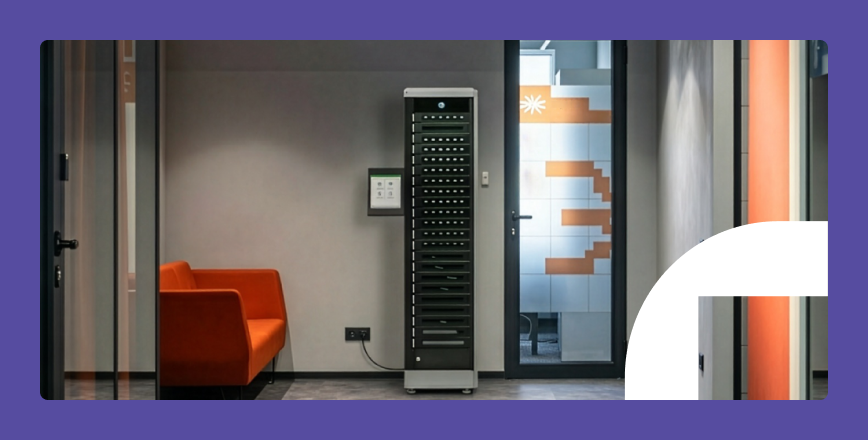
A smart locker audit trail records each locker interaction, including who accessed a compartment, when it happened, how they authenticated, and what happened to the device or handoff.
For organisations that need to meet HIPAA, FERPA, or SOX requirements, that record matters. When a shared device goes missing and there’s no clear chain of custody, a simple asset issue can quickly become a compliance, security, and accountability problem.
The impact becomes clearer in the numbers: Verizon’s 2026 DBIR reports 525 lost-and-stolen asset incidents, with 88 confirmed data disclosures — though Verizon notes the true number of disclosures may be higher. Those disclosures can lead to a data breach, and according to IBM, the average cost per incident is $4.4 million.
This guide explains how you can trace every device to its last recorded handoff without spending hours correlating spreadsheets. You’ll learn what an audit trail smart locker system records, how it supports compliance with HIPAA, FERPA, and SOX, and what to check before you choose a system.
Key takeaways
- A smart locker audit trail is the sequence of locker event records that shows the full history of a device handoff.
- Audit trails create reliable access records and a clear chain of custody, supporting organisations subject to HIPAA, FERPA, SOX, and GDPR compliance.
- Smart locker audit trails help IT trace devices, resolve disputes, and provide audit-ready records without compiling handoff history from spreadsheets.
Additional reading: What is a smart locker? Learn how organisations use smart lockers in our dedicated guide.
Audit log vs. audit trail: What’s the difference?
According to the National Institute of Standards and Technology (NIST), an audit log is a single event record, whereas an audit trail is the chronological sequence of records that shows what happened from start to finish.
In smart lockers, each interaction creates an audit log. In the ForwardPass smart locker system, those logs form an audit trail that shows the full history of a device handoff, instead of leaving IT to review isolated events.
What does a smart locker audit trail actually capture?
A smart locker audit trail captures the user, workflow, location, timestamp, device details where available, and the action taken at each locker event.
|
Workflow |
Data fields captured |
|
Secure charging |
|
|
Device loaning |
|
|
Loan history |
|
|
Broken devices |
|
|
Repaired devices |
|
|
Deployments view |
|
|
Deployment station groups |
|
|
Inventory view of devices not yet deployed |
|
ForwardPass automatically records all that locker activity. The device checkout audit trail connects the person, device, locker, workflow, and timing into a complete activity history.
Admins can review event logs from the cloud portal, and workflow dashboards can show historical and in-progress records for reporting or audit review. This way, your IT team doesn’t need to rebuild the handoff history from a spreadsheet or a manual sign-out sheet.
Most importantly, audit logs are immutable, meaning they can’t be modified or deleted by end users, and administrator logs create a separate audit trail. This is a crucial feature for the integrity of records during audits.
How smart locker audit trails support compliance
Smart locker audit trails support compliance by creating reliable access records for shared devices used in workflows involving regulated information.
Smart lockers are typically used in education, healthcare, offices, or manufacturing, so the applicable regulations are the following:
- The Health Insurance Portability and Accountability Act (HIPAA)
- The Family Educational Rights and Privacy Act (FERPA)
- The Sarbanes-Oxley Act (SOX)
- The General Data Protection Regulation (GDPR)
Smart locker compliance: Which regulations require what
Different regulations impose different recordkeeping rules, but they all require reliable records that can be retained and reviewed when needed.
|
Regulation |
Who it applies to |
Core requirement |
Record retention |
|
HIPAA |
Healthcare organisations and business associates handling electronic protected health information |
Record and examine activity in systems that contain or use ePHI under HIPAA Security Rule §164.312(b). The 2013 Omnibus Final Rule expanded the definition of “business associate” to include entities that create, receive, maintain, or transmit PHI on behalf of a covered entity. |
6 years for required HIPAA Security Rule documentation under 45 CFR §164.316(b)(2)(i). Audit-log retention should follow the organisation’s HIPAA documentation and security policy |
|
FERPA |
K-12 schools, colleges, and universities |
Keep records of requests for access to, and disclosures of, personally identifiable information from education records |
No fixed federal retention period. Keep disclosure records for as long as the related education record is maintained. See the official FERPA guidance |
|
SOX |
Public companies and auditors |
Keep audit and review records that support financial reporting evidence |
7 years for accounting firms’ audit and review records that contain conclusions, opinions, analyses, or financial data related to an issuer’s financial statement audit or review, under SEC Rule 2-06 implementing SOX Section 802 |
|
GDPR |
Organisations processing personal data from people in the European Union |
Keep personal data only as long as needed and support erasure rights where they apply |
No fixed retention period. See Regulation (EU) 2016/679 |
Many organisations are unsure whether smart lockers are mandatory under HIPAA, SOX, FERPA, and GDPR. Generally, regulations like these don’t tell which hardware or software to use. For that reason, HIPAA, SOX, FERPA, and GDPR rules don’t technically require organisations to have smart lockers.
What they do require is the ability to support certain control outcomes: protect regulated information, control access, keep reliable records, review activity, and retain records where required.
These outcomes apply to shared devices when those devices are part of workflows involving regulated information. Smart lockers with audit capabilities can support those outcomes in practical ways:
- Control access: Verify the user before a bay opens and record who accessed the device
- Keep reliable records: Create timestamped logs for device workflows and admin actions
- Review activity: Let IT search the audit trail to investigate issues and send audit-ready records for review
- Maintain chain of custody: Connect the user, device, workflow, location, and time into a chronological handoff history
- Support retention: Keep access records in a protected system according to the organisation’s retention policy and applicable regulations
ForwardPass supports regulated device workflows with audit-trail controls built into the smart locker platform, including identity-based access, timestamped event records, cloud reporting, and administrator activity logging. ForwardPass is part of IWS Global, the company behind ForwardPass, LocknCharge, and PC Locs.
The ForwardPass smart locker platform holds SOC 2 certification. SOC 2 reports are based on the AICPA Trust Services Criteria and performed by an independent CPA firm. SOC 2 certification gives organisations third-party assurance that the ForwardPass platform’s controls for security, availability, confidentiality, and related data-handling practices have been tested over time.
Operational use cases: Beyond compliance
Aside from compliance, smart lockers help IT teams automate common device workflows:
- Self-service workflows: Users check devices in and out on their own, while IT monitors remotely and steps in only for setup and exceptions
- Planning locker capacity in offices: Usage data from workplace smart lockers shows demand by site, workflow, and time of day, helping IT adjust assignments, move lockers, or justify another tower
- Shift accountability: Audit trails show whether shared devices were returned before the next shift and who last had them
- Audit preparation: ForwardPass creates audit records in a compliance-ready format from the start, so IT can send the original record for audit without rebuilding it in a separate file
For a broader operational context, read the full guide on the benefits of smart lockers.
What to look for in a smart locker audit trail
A smart locker audit trail should protect access records, capture events in real time, and make reports easy to review outside the locker portal. Use this checklist when comparing smart locker vendors.
Additional reading: Compare vendors more confidently with our smart locker buying tips, covering security, integrations, scalability, TCO, and support.
|
Characteristic |
What it means |
Ask the vendor |
|
End-user record protection |
Access records should not be editable or removable by the user who performed the action |
Can an end user edit or delete their own smart locker access records? |
|
Timely event capture |
Locker activity should be visible quickly enough for IT to act on events |
Are events visible in the portal as they occur? |
|
Cloud storage with redundancy |
Records should remain available if local hardware fails or the locker is not physically accessible |
Are logs stored in the cloud, backed up, and recoverable? Are audit records encrypted at rest and in transit? Does the platform monitor for errors, abnormal activity, and service issues? |
|
Exportable records |
IT and audit teams need smart locker reporting records that they can review outside the locker portal |
Are records complete, timestamped, and ready to share for review? Can records be exported in a usable format, such as XLSX, CSV, or PDF? Can exports be filtered by user, device, locker, workflow, date range, or site before sharing? |
|
Retention controls |
Log retention should match the organisation’s compliance and recordkeeping policy |
Can retention periods be configured, and what is the default? |
|
Role-based access |
An organisation may need different access to the system for different end-users and admins |
Can log access be limited by role, site, or admin level? Are administrative privileges restricted, protected by MFA, and automatically logged? |
|
System integrations |
Locker data should connect to the tools IT already uses, including identity, asset tracking, ticketing, and monitoring systems |
Which integrations are supported for your environment? |
ForwardPass includes these audit-trail controls in the standard platform, but audit quality is only one part of a smart locker purchase. For a broader vendor-scoring checklist, download the ForwardPass Smart Locker Buying Guide.
How ForwardPass logs and displays audit data
Each self-serve handoff in the ForwardPass smart locker system creates a cloud record that IT can review for reporting, follow-up, or audit.
The sequence is straightforward:
- A user starts a workflow at the locker.
- The user authenticates using a supported method.
- The platform applies the workflow rules.
- The assigned bay opens, and the user completes the handoff.
- A smart locker access log is written to the cloud event history and surfaced in the portal for review, reporting, and follow-up.
In the cloud portal, audit records sit alongside smart locker real-time usage analytics, so IT can analyse usage trends and spot exceptions without being connected to the local network.
Example in practice:
A 24/7 commercial heat-treating company used 11 ForwardPass smart lockers for manufacturing to manage 132 shared work phones across six buildings. The phones supported daily communication, work orders, and floor logging. The company created a clearer chain of custody: employees knew where to retrieve and return devices, phones stayed charged between shifts, and IT had a device locker audit trail for access and return activity.
Bottom line
A smart locker audit trail creates a reviewable, audit-ready record of device handoffs for operations, investigations, and compliance support.
- A locker audit trail should record the full handoff: user, time, bay, event type, access method, and device details, where the workflow tracks them.
- The same record supports daily operations, from missing-device checks and access disputes to shift handoffs, capacity planning, and internal audits.
- Compliance requirements vary, but the core principle is that access records must be available for review and retained according to the applicable regulation or policy.
- Audit quality matters as much as audit presence. You should look for protected records, timely event capture, cloud access, exportable reports, role-based access, and useful integrations.
Book a Discovery call to see how ForwardPass gives IT an exportable audit trail for every device handoff.
For a broader vendor comparison, download the Smart Locker Buying Guide.
FAQ
What data does a smart locker audit trail capture?
A smart locker audit trail typically captures user identity, timestamp, bay or compartment identifier, event type, access method, and device identifier, where the workflow tracks a specific device. It may also show session duration, site, workflow, return status, and administrator actions.
Are smart locker audit logs immutable?
In a well-designed system, yes. Immutability means end users cannot edit or delete their own records, and any administrator action should create its own log entry rather than overwrite the original event.
How long should smart locker audit logs be retained?
It depends on the regulation applied to your organisation. HIPAA points to 6 years, and SOX requires 7 years. FERPA and GDPR don’t have fixed retention requirements, so the retention period depends on the purpose and applicable organisational policy.
Do smart lockers help with HIPAA compliance?
Yes, but smart locker HIPAA compliance is really about the records the system creates. When shared devices are used to access or handle ePHI, the audit trail shows the full chain of custody. That can support HIPAA audit-control workflows.
What is the difference between an audit log and an audit trail?
An audit log is a single timestamped event record. An audit trail is the sequence of those records, used to reconstruct the full history of activity over time.
How do smart locker audit trails support incident investigations?
Smart locker audit trails support investigations by showing who accessed the device, when it happened, which bay was used, and how the user authenticated. That lets IT trace a missing, damaged, overdue, or disputed device much faster.