The device handoff system for airline operations

Mobile devices now support work across gates, ramps, maintenance areas, warehouses, customer-service environments, and other time-sensitive parts of airline operations. But the physical process for getting those devices into the right hands has not always kept up.

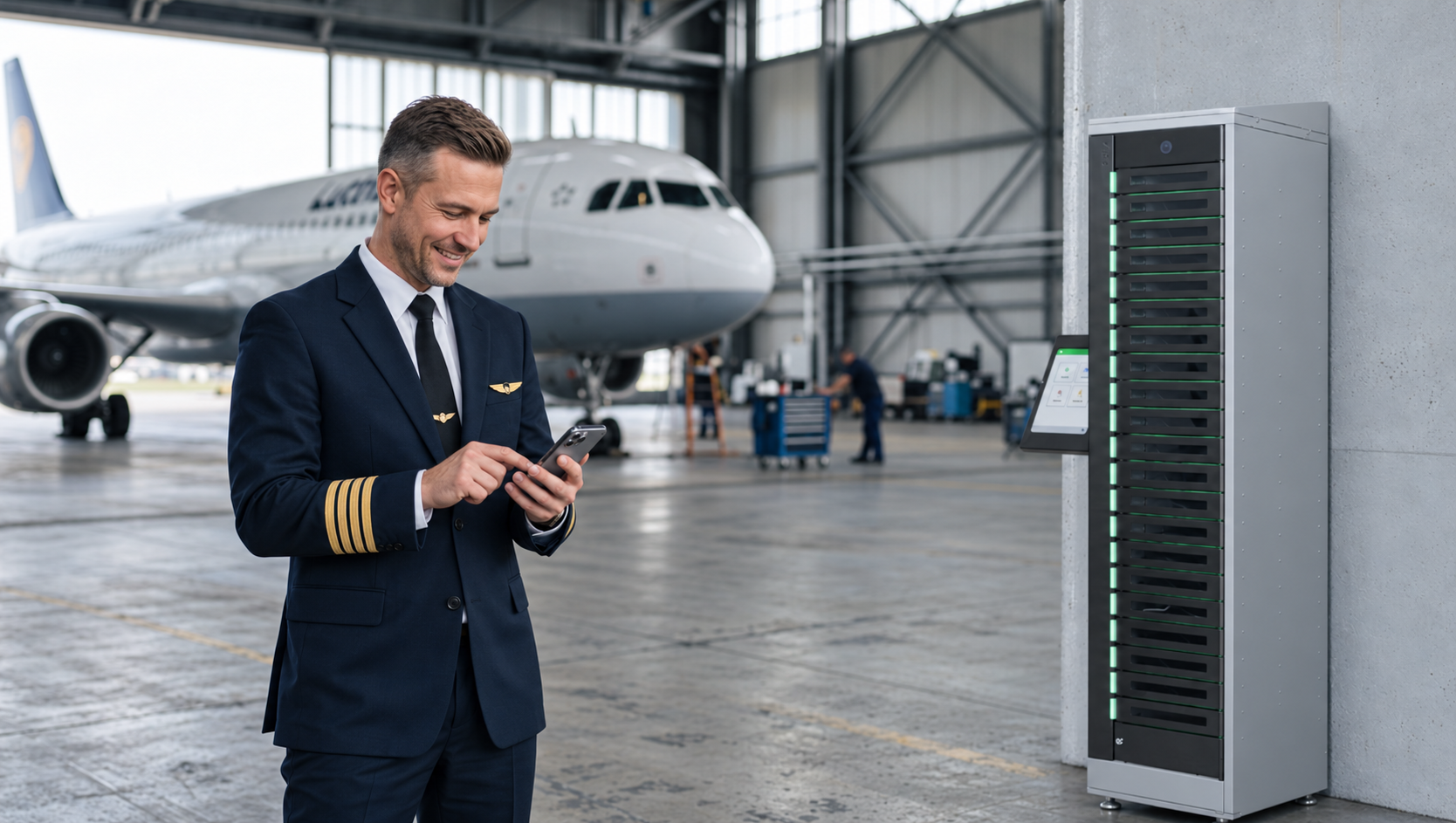
ForwardPass is a smart locker system for IT device handoffs. It gives airlines a controlled way to manage shared devices, hot spares, temporary replacements, break/fix exchanges, deployments, returns, and assigned-device charging.

Employees can access approved devices without waiting for IT or a staffed counter. Central teams retain visibility into who accessed a device, when the handoff occurred, whether it was returned, and what may require follow-up.

From a major hub to a smaller station or specialised work group, ForwardPass helps airlines create one repeatable operating model while adapting capacity, device types, access rules, and workflows to each location.

Find Out More
FP-Graphic for the Aviation Page-920 520 - 10092026

Airline operations are becoming more connected. Manual processes remain.

Airlines are investing in more connected, data-led operations. But outdated workflows, fragmented information, and inconsistent processes still make it harder for teams to act quickly. Physical device handoffs are part of that gap: the work has become mobile, while device pickup, return, and replacement can still depend on local, manual processes.

Connect device handoffs to your existing airline IT environment

ForwardPass works alongside the identity, device management and IT service management systems your airline already uses. Employees can authenticate with supported methods such as SSO, Login ID, barcode or QR, and compatible RFID badges. ForwardPass records approved pickups, returns and exchanges.

APIs, outgoing webhooks and the ForwardPass Automations Library can send handoff events to other systems and trigger downstream actions. Central teams can manage users, access, workflows and locker activity through the cloud-based portal, helping airlines run a consistent process across stations.

Book a Discovery
LNC-US-FUYL(TM) Smart Locker System Kiosl -2024.06.20-web-Manage device users and protect their personal information by integrating your existing identity management system-980x716

The hidden friction behind frontline device access

Getting an employee a device can look simple from the outside. But when access depends on local workarounds, staffed counters, or informal records, each handoff can take people away from the work they should be doing and make accountability harder to maintain.

A working device is not always ready at shift start

Employees may need to search for an available device, find someone who can issue it, or discover that the device they collected is not charged. That creates avoidable waiting before the work the device enables can begin.

Routine distribution turns people into device desk

Supervisors, local administrators, and IT teams can spend every shift handing out, collecting, tracking, and replacing devices. As the program expands across stations and work groups, a simple handoff becomes a recurring support burden.

Informal handoffs make accountability hard

Devices collected from break rooms, tables, or behind desks may not have a reliable transaction record. When something is missing, teams are left piecing together sign-out sheets, spreadsheets, messages, and memory to determine what happened.

Broken devices can leave employees waiting for replacements

When a frontline device fails, an employee may need to locate support, return the device, find an available spare, and coordinate a replacement. If the employee and technician must be present at the same time, even a straightforward exchange can take longer than it should.


Every station develops its own version of the process

Different locations often create their own storage practices, sign-out methods, charging arrangements, and local workarounds. That produces an inconsistent employee experience and leaves central teams supporting multiple versions of the same basic process.


Different device scenarios need different workflows

Shared pools, hot spares, temporary replacements, assigned devices, new-hire deployments, returns, and break/fix devices do not move through the organisation in the same way. Forcing them into one generic checkout model creates exceptions and workarounds that become harder to manage at scale.

See how ForwardPass could fit your operation.

Explore how self-service device handoffs could support your teams, locations, devices, and existing processes.

Book a Discovery
Aviation Team Tablet Review Banner

Your Smart Locker Buying Guide

Not all lockers are created equal. Download our free guide to learn what to look for when evaluating smart locker solutions.

Get the Guide
ipad-smart-locker-guide

Stay up-to-date with our latest news

FAQs

Airline smart lockers give authorised employees a self-service way to pick up, return, exchange, or charge devices without waiting for a staffed counter. ForwardPass controls access and records supported transactions so IT and operations teams retain visibility.

Yes. Shared-device programs can use ForwardPass for controlled pickup and return, while assigned-device programs can use it for deployments, temporary replacements, break/fix exchanges, charging, returns, and offboarding. The workflow can reflect how each device is actually used.

An employee authenticates, returns the failed device to an approved bay, and collects a working replacement through a guided workflow. IT can manage the broken-device intake and replacement process without requiring the employee and technician to meet at the same time.

Yes. ForwardPass can provide authorised self-service access across shifts and outside normal desk hours, provided the locker is installed in an accessible location. Central teams retain control over permissions and can review activity remotely.

ForwardPass provides a consistent platform for authentication, access, workflows, and transaction records while allowing the physical configuration to vary. Airlines can adapt capacity, device types, permissions, and workflows for a major hub, smaller station, maintenance facility, or specialised work group.

ForwardPass supports enterprise authentication methods, user management, APIs, webhooks, integrations, and automation capabilities. These tools help airlines connect physical device handoffs with existing identity, ITSM, device management, messaging, and reporting processes.

ForwardPass can support many laptops, tablets, handheld scanners, radios, rugged devices, and other frontline technology, subject to device dimensions and charging requirements. Different bay sizes and configurations allow organisations to match the system to the devices and workflows used in each location.