How ForwardPass works
ForwardPass gives users secure, self-service access to the devices they need—without waiting for IT. Users authenticate, collect or return their assigned device, and every transaction is automatically tracked, giving IT visibility without the manual work.

Find the right smart locker configuration
Review ForwardPass smart locker specifications, including size, capacity, charging, and configuration details, to compare models and choose the right fit for your environment.
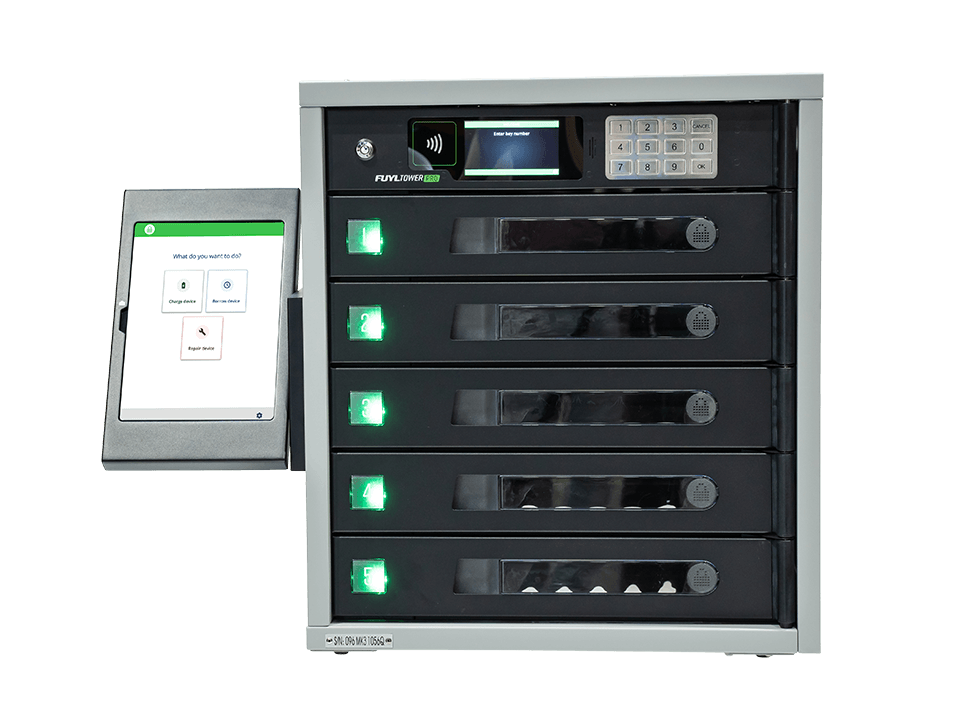
ForwardPass 5-Bay Smart Locker
Tower Specs
483 mm (L) × 533 mm (W) × 584 mm (H) | 34.9 kg
Bay Specs
432 mm (L) × 356 mm (W) × 76 mm (H) | 5 bays per tower
Bay Power
One (1) power outlet | 100–125Vac, 50/60Hz 4A Max
One (1) 36W USB-C Power Delivery port per bay
Output power range: 5V 3A | 9V 3A | 12V 3A | 15V 2.25A | 20V 1.8A
Bay Access
RFID and PIN
Support Plans
Yes
Warranty
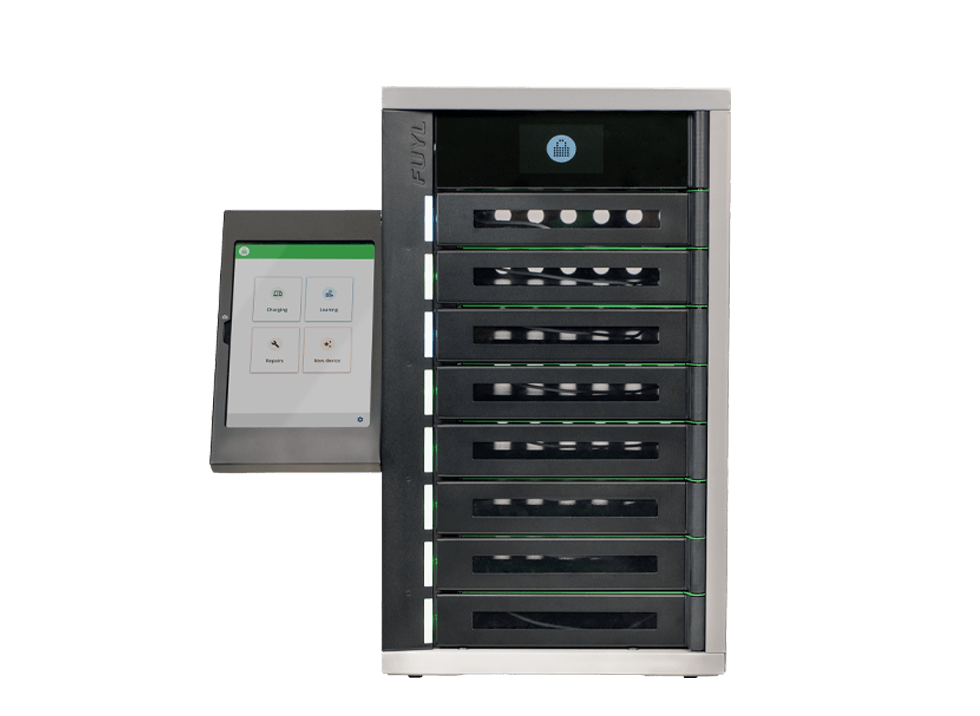
ForwardPass 8-Bay Smart Locker
Tower Specs
661 (H) × 383 (W) × 431 (D) mm | 34.9 kg
Kiosk Kit case: 320 (H) × 160 (W) × 25 mm (D)
Bay Specs
43 (H) × 258 (W) × 387 (D) mm | 8 Bays per Smart Locker
Bay Power
One (1) 36W USB-C Power Delivery port per bay
Pre-wired with 500 mm tamper-resistant USB-C cable
Output power range: 5V 3A | 9V 3A | 12V 3A | 15V 2.25A | 20V 1.8A
Bay Access
Via the Kiosk App
Support Plans
Yes
Warranty
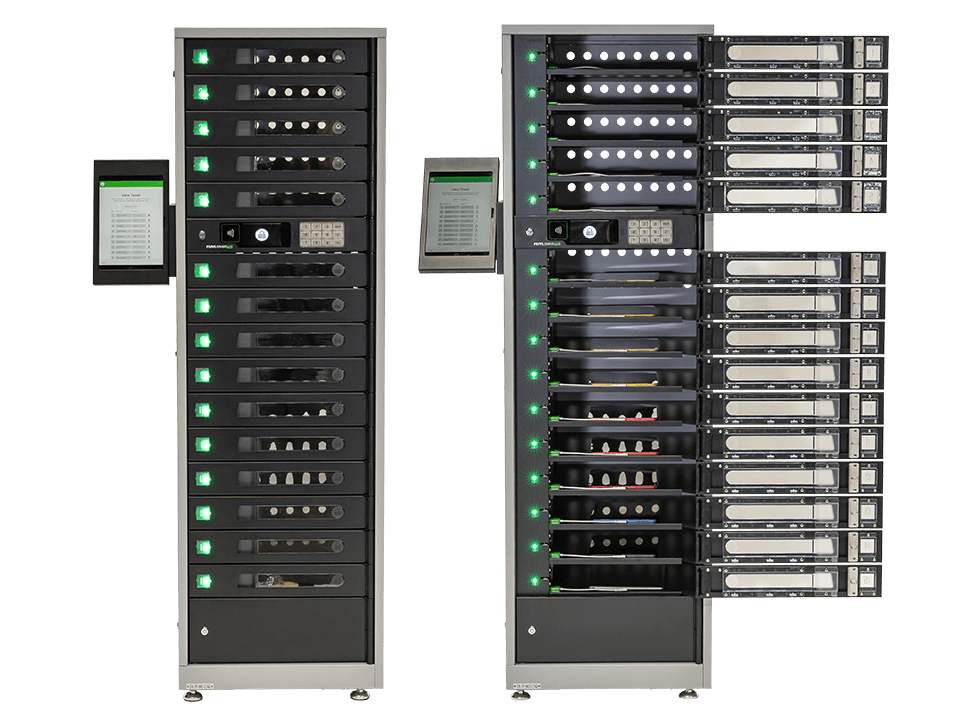
ForwardPass 15-Bay Smart Locker
Tower Specs
483 mm (L) × 533 mm (W) × 1,702 mm (H) | 88 kg
Bay Specs
432 mm (L) × 356 mm (W) × 76 mm (H) | 15 bays per tower
Bay Power
One (1) power outlet | 100–125Vac, 50/60Hz 4A Max
One (1) 36W USB-C Power Delivery port per bay
Output power range: 5V 3A | 9V 3A | 12V 3A | 15V 2.25A | 20V 1.8A
Bay Access
RFID and PIN
Support Plans
Yes
Warranty
ForwardPass 23-Bay Smart Locker
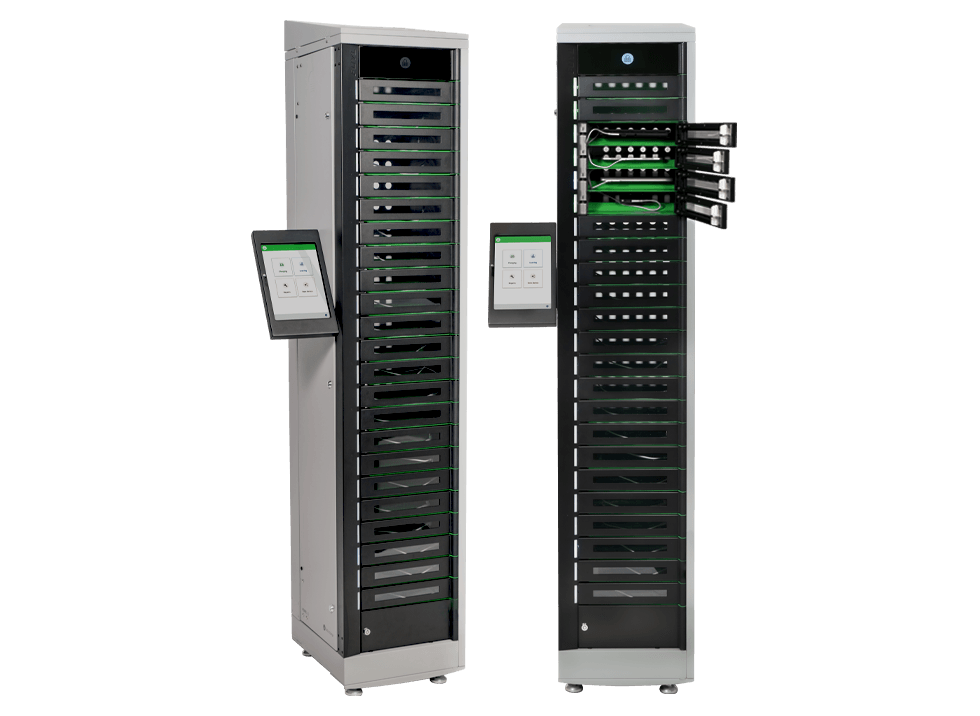
Tower Specs
1,920 (H) × 383 (W) × 431 (D) mm | 88 kg
Kiosk Kit case: 320 (H) × 160 (W) × 25 (D) mm
Bay Specs
43 (H) × 258 (W) × 387 (D) mm | 23 Bays per Smart Locker
Bay Power
One (1) 36W USB-C Power Delivery port per bay
Pre-wired with 500 mm tamper-resistant USB-C cable
Output power range: 5V 3A | 9V 3A | 12V 3A | 15V 2.25A | 20V 1.8A
Bay Access
Via the Kiosk App
Support Plans
Yes
Warranty
Choose the device workflow you want to simplify
Loaners
Loaner programs run fully automated. Users check out temporary devices on their own, while the system enforces return rules and sends overdue alerts. IT gains confidence that every loaner is tracked, and users avoid downtime.

Repairs
When a device fails, users check it into the smart locker, which automatically generates a repair ticket on the spot. Devices awaiting service are logged and secured in one place, making it easy for IT to collect and process them all at once.

Deployments
IT can assign and distribute devices without lines, signatures, or delays. Users collect devices through a guided, self-serve process, while IT tracks every pickup in real time for complete accountability.

Replacements
If needed, users can replace failed devices permanently. They drop off the broken one, pick up a new one, and the system automatically logs both and updates the inventory.

Charging
Lockers double as charging hubs, keeping devices powered, safe, and available on demand. Users never show up with dead batteries, and IT no longer manages cables, outlets, or charging cart chaos.

Loaners
Loaner programs run fully automated. Users check out temporary devices on their own, while the system enforces return rules and sends overdue alerts. IT gains confidence that every loaner is tracked, and users avoid downtime.
Repairs
When a device fails, users check it into the smart locker, which automatically generates a repair ticket on the spot. Devices awaiting service are logged and secured in one place, making it easy for IT to collect and process them all at once.
Deployments
IT can assign and distribute devices without lines, signatures, or delays. Users collect devices through a guided, self-serve process, while IT tracks every pickup in real time for complete accountability.
Replacements
If needed, users can replace failed devices permanently. They drop off the broken one, pick up a new one, and the system automatically logs both and updates the inventory.
Charging
Lockers double as charging hubs, keeping devices powered, safe, and available on demand. Users never show up with dead batteries, and IT no longer manages cables, outlets, or charging cart chaos.
More than a charging cabinet
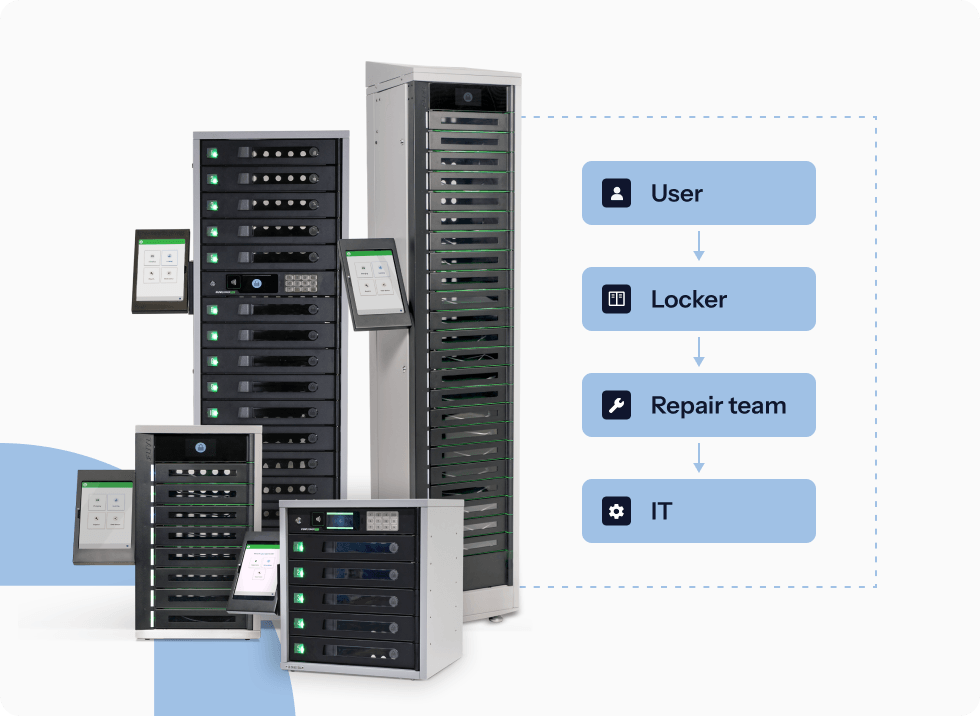
Charging and storage are only the beginning. ForwardPass helps IT teams manage the full device lifecycle, from loaners and replacements to repairs, deployments, and returns. With self-serve workflows and remote access control, users get the device they need while IT keeps visibility into every handoff.
Trusted by leading universities and colleges worldwide.