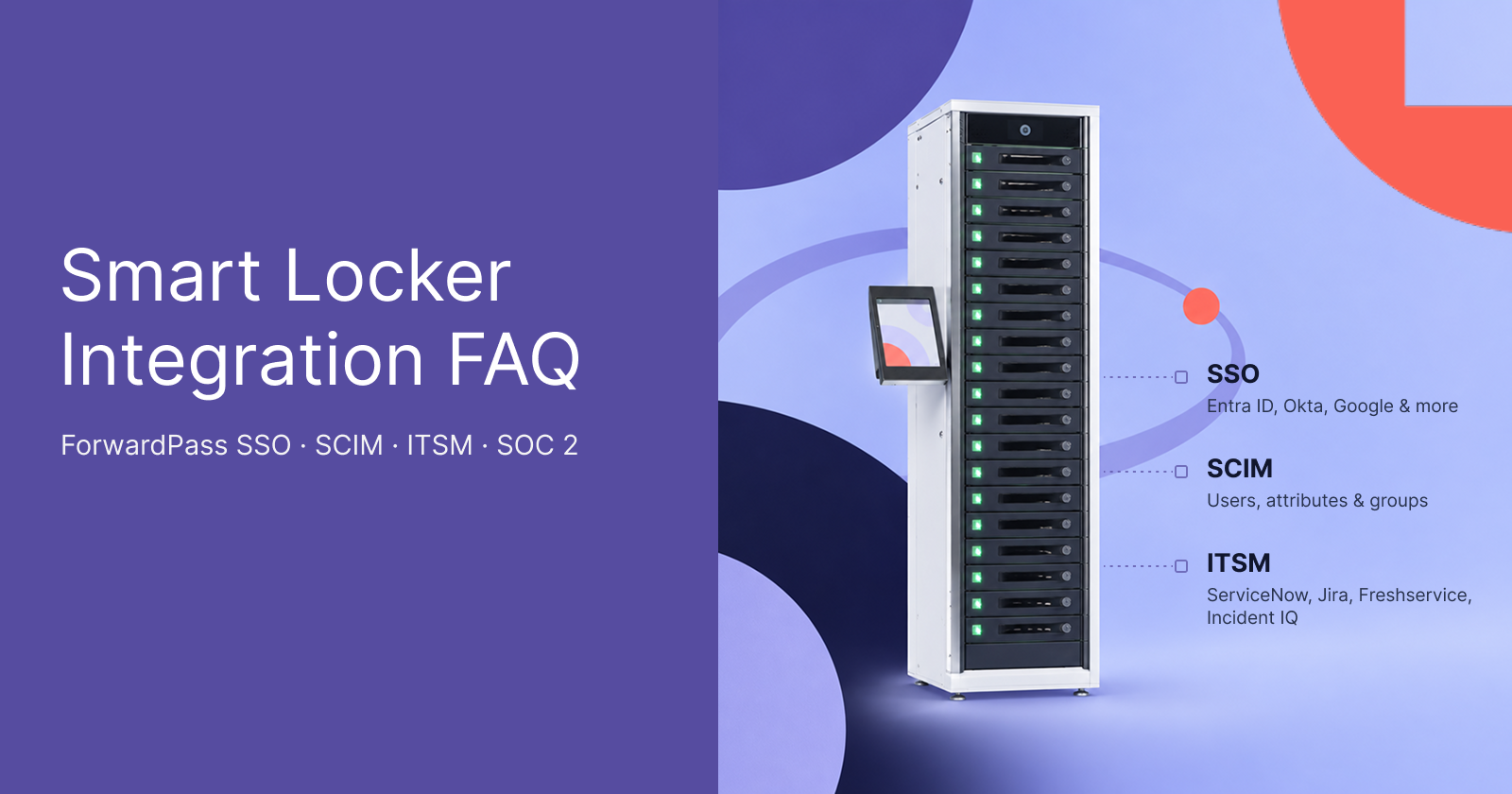
ForwardPass smart locker systems connect device handoffs with identity, IT service management, automation, and security controls through SSO, SCIM, APIs, and webhooks. This FAQ explains how those capabilities work. It is written for IT, security, and procurement teams and reflects documented ForwardPass capabilities as of November 2026.
For broader questions on ForwardPass capabilities, deployment, workflows, and system requirements, see the smart locker FAQ.
Key takeaways
- ForwardPass supports SSO through SAML 2.0 or OIDC and can use SCIM provisioning to keep user access aligned with an organisation’s identity system.
- ServiceNow, Freshservice, Incident IQ, and Jira can connect with ForwardPass through configured smart locker APIs and webhooks.
- Loaners, Repairs, Deployments, Replacements, and Charging workflows automate recurring device handoffs while preserving transaction records and user accountability.
- Jamf, Microsoft Intune, Salesforce, and SAP can participate in configured workflows through APIs and webhooks.
- ForwardPass has SOC 2 compliance and documents controls covering encryption, access, network protection, backup, recovery, penetration testing, and incident response.
Integration and security status at a glance
As of November 2026, ForwardPass supports identity integration, user provisioning, APIs, webhooks, and configured connections with major IT service, device, CRM, and ERP platforms. Security coverage includes SOC 2 and regional hardware compliance, while integration methods vary by system and configuration.
| Capability | Status | Specifics |
|---|---|---|
| SSO (SAML / OIDC) | Available | Enhanced with Kiosk; SAML or OIDC |
| SCIM provisioning | Available | User, attribute, and group provisioning |
| Other access methods | Available | Username/password, RFID, Login ID, barcode/QR, or PIN |
| API | Available | Automates recurring tasks and authenticated platform actions |
| Webhooks | Available | Sends selected locker events to external systems |
| Freshservice, Incident IQ, ServiceNow, Jira | Available via APIs and webhooks | Configured around IT workflows |
| Jamf / Intune | Available via APIs and webhooks | Configured around IT workflows. Locker and MDM functions remain separate |
| Salesforce / SAP | Available via APIs and webhooks | Configured around IT workflows; Salesforce also supported separately for SSO |
| SOC 2 | Available | Current SOC 2 report available via ForwardPass Trust Center |
| Hardware certifications | Available | FCC, cETLus, CE, UKCA, and RCM |
Identity and access: SSO, SCIM, and user authentication
ForwardPass supports identity-based locker access through SSO, SCIM provisioning, and several alternative authentication methods depending on the configuration. Organisations can connect existing identity systems while controlling which users and groups can access specific device workflows.
1. Does ForwardPass support SSO? Which identity providers work?
Yes. For organisations that need a locker with SSO integration, ForwardPass supports Security Assertion Markup Language (SAML) and OpenID Connect (OIDC).
We currently support 28 identity provider options, plus custom SAML and OIDC connections for providers outside that list.
Our supported options cover common enterprise and education identity platforms. Examples include:
- Microsoft: Entra ID and Active Directory Federation Services
- Google and education: Google SAML, ClassLink, and Clever
- Enterprise identity: Okta, OneLogin, JumpCloud, PingOne, and PingFederate
- Other supported options: Auth0, Cloudflare, CyberArk SAML, Keycloak, Oracle, and Shibboleth
The full set of identity integration options is available in our SSO setup documentation. Google Workspace connections may take up to 24 hours to propagate and can appear inactive during that period.
With SSO configured, your organisation’s identity provider handles authentication. Users are redirected to the IdP to enter their credentials, and ForwardPass grants access after the provider verifies them.
SSO can reduce the administrative work required to manage user access at scale.
At St Andrews Christian College, Microsoft ID login replaced the need to distribute roughly 350 PIN codes each year after the school upgraded to the ForwardPass Enhanced platform. More than 350 students now use the five ForwardPass smart lockers, with Microsoft SSO simplifying access and automatic bay assignment.
2. Does ForwardPass support smart locker SCIM provisioning?
Yes. ForwardPass supports SCIM provisioning for smart lockers to create, update, and deprovision users from the organisation’s identity system. This keeps user access aligned with changes made in the source directory without requiring the same accounts to be maintained separately.
System for Cross-domain Identity Management (SCIM) is a standard from the Internet Engineering Task Force (IETF) for exchanging identity data between systems. In ForwardPass, SCIM provisioning is configured after SSO is set up and working. Once connected, IT admins can map identity-provider attributes to ForwardPass user records.
For example, an attribute provisioned from Okta can be mapped for use as a Login ID or RFID credential, depending on the configuration.
Provisioned groups can also control access to specific workflows. For example, a student group can be authorised for a designated Loaners workflow, connecting directory membership with the device services available to that user.
Read more: Review the questions IT peers asked about ForwardPass for a broader outlook on smart lockers in device workflows and day-to-day IT operations.
3. How do people authenticate at the locker if they do not use SSO?
Without SSO, ForwardPass supports authentication both through the Kiosk and directly at the locker. With a Kiosk, users can authenticate with a username and password, RFID, Login ID, or barcode (including QR and Micro QR codes).
A Login ID can be an employee or student number. Users scan barcode or QR credentials with the Kiosk camera. With RFID, users authenticate by presenting a compatible RFID card, badge, or fob to the locker’s RFID reader.
Without a Kiosk, supported direct-access configurations use PIN or RFID.
ITSM and help desk: APIs, webhooks, and workflow automation
ForwardPass connects smart locker activity with IT service management and help desk processes through APIs and webhooks. These connections can automate device handoffs and pass relevant locker events into systems such as ServiceNow, Freshservice, Incident IQ, and Jira.
4. Does ForwardPass integrate with ServiceNow?
Yes. ForwardPass supports ServiceNow smart locker workflows through configurable API and webhook connections, allowing teams to control which events and actions are exchanged.
For event-driven workflows, ForwardPass automations can also send JSON data through webhooks to a ticketing system or workflow tool. For example, a repair drop-off event can pass the device ID, user, location, and repair details so the receiving system can create and prefill a ticket.
This gives organisations control over which locker events trigger actions in their ServiceNow workflow.
5. Does ForwardPass integrate with Freshservice, Incident IQ, or Jira?
Yes. ForwardPass can integrate with Freshservice, Incident IQ, and Jira through APIs and webhooks. These connections are configured around the organisation’s ticketing and device-management workflows.
For example, at Maritime Academy Charter School, ForwardPass was connected with Incident IQ to support self-service device handoffs through the school’s existing ticketing workflow. The integration helped the IT team automate loaner requests and device assignments, saving staff approximately one hour per day.
6. How do smart lockers automate the IT help desk?
ForwardPass smart lockers automate routine help desk work through five self-service workflows: Loaners, Repairs, Deployments, Replacements, and Charging. These workflows reduce the need for IT staff to manage every device handoff.
ForwardPass workflows handle specific operational tasks:
- Loaners: Issue temporary devices, apply return rules, and send overdue alerts.
- Repairs: Accept broken devices and record repair intake.
- Deployments: Distribute assigned devices through self-service pickup.
- Replacements: Exchange failed devices for permanent replacements.
- Charging: Provide secure, tracked charging sessions.
Self-service workflows enable IT help desk automation and reduce both help desk handling time and the effort required to track devices. For example, at the Dayton ISD, the team integrated ForwardPass with Learn21’s Tech Director Toolbox. This approach kept student help desk visits to five minutes or less while reducing the time IT spent locating missing devices from a couple of hours per day to about one hour per week.
7. What do ForwardPass’s API and webhooks cover?
The ForwardPass API lets authorised external applications perform authenticated actions on the cloud platform, while webhooks send selected locker and workflow events to external systems. Together, they support configured integrations with ticketing, automation, and other business applications.
The API is used when an external system needs to trigger or automate an action in ForwardPass. Webhooks work in the opposite direction. When a supported event occurs, such as a deployment, loan, repair, charging session, single-use action, or station event, ForwardPass can send the relevant data to a configured endpoint.
Read more: See how much smart lockers cost, including typical price ranges, pricing models, and the factors that shape total cost of ownership.
MDM, CRM, and ERP integrations with ForwardPass
ForwardPass can connect locker workflows with MDM, CRM, and ERP platforms through APIs and webhooks. This allows physical device handoffs to participate in broader workflows involving Jamf, Microsoft Intune, Salesforce, or SAP.
8. Does ForwardPass integrate with Jamf or Microsoft Intune?
ForwardPass can connect with workflows involving Jamf or Microsoft Intune through APIs and webhooks. We do not rely on a separate native connector for these MDM platforms. Instead, organisations configure the data and events they need to pass between systems.
Depending on the workflow, ForwardPass can pass device-handoff data such as the device ID, user, workflow, site or locker group, status, and relevant timestamps to a connected system. The API can also allow an authorised external application to perform configured actions in ForwardPass. ForwardPass does not replace Jamf or Intune as the source for device configuration, policies, applications, or security settings.
9. Does ForwardPass integrate with Salesforce or SAP?
ForwardPass can connect Salesforce customer relationship management (CRM) or SAP enterprise resource planning (ERP) workflows through our APIs and webhooks. This lets organisations define which locker events or authenticated actions pass between ForwardPass and their business systems.
For a smart locker SAP workflow, a webhook can send selected handoff events to an integration layer, where SAP processes the data according to the organisation’s rules. The API can also support authenticated actions initiated by an external application.
Salesforce is separately supported as an identity provider for single sign-on (SSO), but that identity connection is distinct from a Salesforce CRM integration.
Security, compliance, and data protection in ForwardPass
ForwardPass has SOC 2 coverage and documents security controls for encryption, access, network protection, backup and recovery, security testing, and incident response. Regional hardware requirements and privacy coverage provide additional compliance context for IT, security, and procurement reviews.
10. Is ForwardPass SOC 2 compliant?
ForwardPass currently has System and Organization Controls (SOC) 2 Type 1 compliance. For IT, security, and procurement teams, this report provides independent evidence that can support vendor security reviews and due diligence.
Organisations that need to assess the current scope and controls can visit the ForwardPass Trust Center and request access to our SOC 2 report.
11. What other certifications apply to ForwardPass?
Beyond SOC 2, ForwardPass publishes GDPR coverage and regional product compliance for North America, Europe, the United Kingdom, Australia, and New Zealand. These requirements address personal data safety and product conformity:
- GDPR: ForwardPass applies GDPR requirements to the personal data it collects and stores for customers in the European Union.
- cETLus: This certification applies to ForwardPass hardware for North American markets. It indicates independent product-safety testing against applicable requirements for the United States and Canada.
- CE: The CE marking covers applicable product conformity requirements for hardware placed on the European Union market. Its scope is product compliance.
- UKCA: The UK Conformity Assessed marking applies to relevant ForwardPass hardware supplied in Great Britain and addresses applicable UK product requirements.
- RCM: The Regulatory Compliance Mark applies to relevant hardware sold in Australia and New Zealand and indicates conformity with applicable regional regulatory requirements.
The ForwardPass Trust Center provides the current compliance status and supporting information on the security controls implemented.
12. What security measures does ForwardPass apply?
ForwardPass protects customer data and platform access through encryption, identity controls, network protections, backups, security testing, and incident response. These measures are designed to limit unauthorised access, protect data in transit and at rest, and support recovery if a security issue occurs.
ForwardPass security controls include:
- Encryption: ForwardPass protects stored customer data with AES-256 encryption and secures data in transit with TLS 1.2 or later. AWS manages the TLS certificates and associated keys.
- Identity and access control: Access can be tied to an organisation’s existing identity provider through SAML 2.0 or OpenID Connect (OIDC). This keeps existing multi-factor authentication (MFA) requirements in effect.
- Network and application security: ForwardPass separates customer environments through account-level permissions and scoped access. Additional controls include intrusion detection systems (IDS), web application firewalls (WAF), firewalls, and network segmentation.
- Backup and recovery: ForwardPass backs up customer data on daily and monthly schedules and keeps redundant copies in a separate AWS Region. The team monitors backup status and tests recovery procedures to confirm data can be restored when needed. ForwardPass stores customer data on AWS servers in the United States, the United Kingdom, or Australia, depending on the deployment.
- Security testing and incident response: ForwardPass uses independent penetration testing to validate security controls and tracks any findings through remediation. It also maintains and tests an incident response process to investigate, document, and review security events.
Read more: Use these smart locker buying tips to compare vendors across security, integrations, usability, support, and total cost of ownership.
Questions to ask any locker vendor
A locker vendor should be able to document how its platform handles security, identity, integrations, data, continuity, and support. Clear answers also help IT and procurement teams distinguish included capabilities from options that require specific plans, configurations, or custom work.
Use these questions during vendor evaluation:
- What SOC 2 report do you have, and what period, products, and systems are in scope?
- Which plans include SSO and SCIM provisioning, and which identity providers and protocols are supported?
- How is API access authenticated, scoped, and rate-limited?
- How are webhook requests authenticated or verified?
- Which ITSM platforms have documented integrations, and how does each integration work?
- Where is customer data hosted, and what regional, encryption, and backup options apply?
- What functions remain available if the locker loses network connectivity?
- What support hours, response targets, escalation paths, and hardware replacement terms apply?
Bottom line
ForwardPass is designed for organisations that need smart locker workflows to connect with existing identity, service desk, device-management, and business systems. For schools, universities, and enterprise IT teams, ForwardPass can reduce hands-on device administration while preserving visibility across users, workflows, and connected systems.
Book a Discovery to review your requirements and determine how ForwardPass can fit into your existing IT environment.