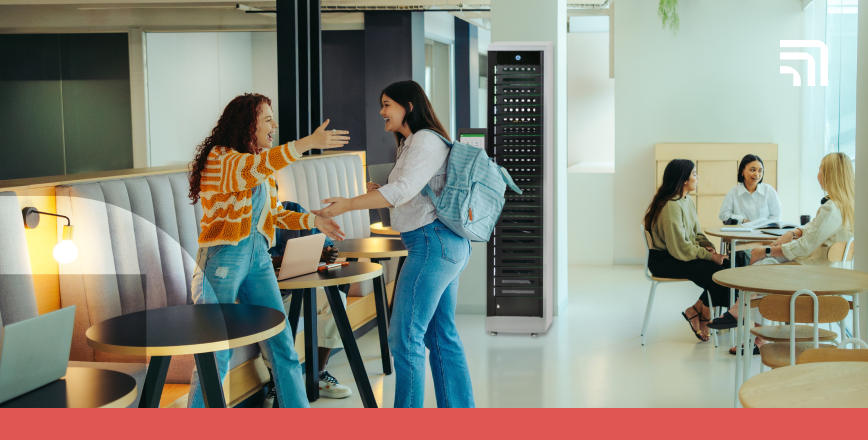
A smart locker is an automated locker system that uses digital locker technology and secure connectivity to store, charge, and manage mobile devices. This connected locker solution combines cloud software, sensors, and access controls, enabling organisations to automate device exchanges and track every transaction in real time.
TL;DR:
- Smart lockers combine physical security with digital intelligence through sensors, software, and connectivity that automate device storage, access, and asset tracking.
- Integrated with IT and identity systems, they provide centralised control, accountability, and predictive analytics.
- ForwardPass leads the smart locker technology with measurable ROI, while creating a scalable, data-driven locker network for workplaces, manufacturing, higher education, and K-12.
How smart locker technology works
Unlike traditional metal lockers that only rely on mechanical locks, intelligent locker systems feature three interconnected elements: hardware, software, and connectivity.
Hardware: The foundation of the smart locker system
Every connected locker solution starts with its physical components. Each compartment has an electronic lock, sensors that detect door status or occupancy, and often charging ports for laptops, tablets, or handheld devices.
Because these lockers safeguard high-value assets that move frequently between users and sites, their hardware plays a direct role in data security as much as in storage reliability.
Verizon’s 2026 Data Breach Investigations Report recorded 525 Lost and Stolen Assets incidents, including 88 with confirmed data disclosure — proof that a misplaced device can quickly become a security event. For that reason, reliable electronic locks, tamper detection, and robust compartment construction are essential criteria when selecting smart lockers.
Software: The operational brain
What makes these lockers “smart” is the digital locker technology that operates behind the scenes. Smart lockers connect to a cloud-based management platform that allows administrators to control hundreds of lockers across multiple sites and integrate them with other software systems for coordinated management.
Within that framework, identity integration through Single Sign-On (SSO) is especially valuable. Forrester’s 2023 analysis of Microsoft Entra found that SSO reduced password-reset requests by 75%, illustrating how stronger identity integration can reduce help desk workload.
Connectivity: Staying linked
To maintain a reliable connection to the cloud platform, smart lockers need stable network access. They typically support Wi-Fi, Ethernet, or Bluetooth, depending on the system and deployment environment. Reliable connectivity keeps locker activity synchronised with the software, so device handoffs and charging sessions are recorded in real time, including outside regular work or study hours.
How do smart lockers work? A step-by-step process
The ForwardPass smart locker platform automates device handoffs by connecting user authentication, locker access, workflow rules, and transaction records within a single system. Instead of IT manually issuing a device or recording a return, the locker guides the user through the required handoff and records what happened.
- The user authenticates. ForwardPass verifies the user through the access method configured for that locker and organisation.
- The user starts the workflow. They select the required action, such as borrowing a loaner, returning a device for repair, collecting a deployment, replacing a failed device, or charging equipment.
- The correct bay opens. ForwardPass grants access to the bay assigned or selected for that transaction.
- The user completes the handoff. They collect, return, exchange, or connect the device for charging.
- ForwardPass records the transaction automatically. The system logs the relevant activity so IT can maintain visibility and accountability.
- IT monitors the workflow remotely. Administrators can review users, bays, workflows, alerts, and activity logs through the cloud Portal and intervene when an exception requires attention.
The purpose of smart lockers and their use cases
The global smart locker system market is expected to reach $7.73 billion in 2026 and grow to $10.96 billion by 2035, reflecting continued investment in connected locker systems across commercial and institutional environments.
Smart locker solutions address everyday operational challenges such as lost equipment, manual handoffs, and limited IT staff availability. In practice, they deliver the following benefits:
- Improve accountability and security for valuable assets. Each transaction is logged, creating a digital audit trail that prevents loss and supports compliance in regulated industries.
- Enable self-serve device exchanges. Users can drop off or collect devices without waiting for an in-person handoff, reducing downtime and routine IT involvement.
- Reduce administrative time and operational costs. Remote management replaces manual tracking and repetitive locker assignments.
- Ensure seamless smart locker access control. Modern smart lockers support multiple login options, including RFID cards, PINs, QR codes, Single Sign-On (SSO), and mobile app login for convenient sign-in and usage.
Organisations leverage smart locker benefits across multiple settings:
- Employee device lockers. Provide secure, personalised storage for laptops, tablets, or handheld tools in workplaces and schools.
- Asset management lockers. Automate shared-asset checkouts and returns for equipment such as scanners or radios.
- Day-use locker management. Offer temporary, self-service storage in flexible workspaces or campuses.
- Smart locker solutions for critical infrastructure. Protect essential tools and credentials in healthcare, defense, or utilities. Access is limited to authorised personnel to maintain security and operational integrity.
Practical limitations of smart lockers
Effective smart locker management may depend on integrations with identity, IT service management, or device management systems, which can require technical configuration and coordination between IT and other teams before deployment.
The physical installation matters as well. Lockers need suitable floor or wall space, access to power, and, depending on the system, network connectivity. These requirements can narrow placement options in older buildings or space-constrained locations, so they should be addressed before rollout rather than after installation.
Smart locker vs. traditional locker systems
Traditional lockers serve a single purpose — basic storage. Smart lockers, on the other hand, do much more. They serve as fully automated locker systems, turning storage into a secure, trackable, and time-saving management tool.
Here’s how intelligent locker solutions compare with old-school physical lockers.
|
Aspect |
Traditional lockers |
Digital smart lockers |
|
Ease of use |
Require physical keys or combinations, often misplaced or shared |
Accessed by PIN, RFID, SSO, or mobile app — no keys to manage |
|
Security |
No activity tracking; anyone with a key can open a locker |
Encrypted user authentication and digital logs track access |
|
Automation |
Fully manual; staff must assign and monitor lockers |
Automated assignment, monitoring, and notifications reduce daily workload |
|
Accountability |
No record of who used what or when |
Detailed usage reports ensure transparency and traceability |
|
Maintenance |
Repairs or audits require on-site checks |
Remote diagnostics and alerts simplify upkeep |
|
Scalability |
Difficult to expand or standardise across locations |
Centralised cloud management scales easily across multiple sites |
Key features of modern smart device lockers
Modern smart device locker systems combine secure physical storage with software that controls access, records activity, and supports device workflows. The most advanced systems typically include the following capabilities:
Hardware capabilities of smart lockers
- Reinforced, durable construction
- Universal support — laptops, tablets, and handhelds
- Built-in charging with surge protection
- Electronic locks with manual override
- ADA-compliant, ergonomic layout
- Passive ventilation
- Easy service access and cable routing
Software capabilities of smart lockers
- Cloud-based centralised control
- PIN, RFID, or SSO login
- Automated issue, return, and scheduling
- Real-time analytics and reports
- API integration with ITSM or MDM tools
- Scalable and brand-customisable platform
Security features of smart lockers
- Encrypted data in transit and at rest
- Role-based access permissions
- Full audit trail of user activity
- SOC 2 Type 2 assurance and ISO 27001 compliance support
- Tamper detection and event logging
- Secure firmware and update management
Connectivity capabilities of smart lockers
- Wi-Fi, Ethernet, or cellular options
- Cloud sync for instant updates
- Offline operation with local control
- Remote status and fault monitoring
- Integration with facility and identity systems
Smart locker applications by industry
Smart lockers automate device handoffs across workplaces, universities, healthcare, and other high-security environments. They support use cases such as employee device access, student lending, shift-based equipment distribution, and controlled access to sensitive assets.
Workplaces
In hybrid offices, smart lockers manage device issues and returns, break/fix swaps, and click-and-collect pickups without help desk lines. Integrated with directory and ticketing systems, they allow IT teams to preassign bays, automate notifications, and track returns across sites, maintaining 24/7 availability for staff.
ThermTech deployed 11 ForwardPass smart lockers across six buildings to manage shared and assigned work phones. Employees collect a phone at the start of a shift and return it afterward, while the locker keeps the device secured and charging between uses.
The system removed the need for IT to manage routine daily checkouts and, after 3.5 years, ThermTech reported eliminating incidents of lost or misplaced devices entirely.
Higher education
Universities typically deploy asset management lockers in libraries and labs for laptops and tablets. Students and faculty authenticate with campus credentials to borrow, return, or collect devices after hours. A single team can oversee multiple sites from a single console, maintaining efficient device access during peak academic periods.
At SUNY Fredonia, a ForwardPass smart locker automated laptop lending for an Innovation Lab serving a campus of about 4,000 students. The university reduced the number of fixed desktop stations from 30 to 14, creating more room for other technology while keeping laptops available through self-service checkout.
Healthcare and critical infrastructure
Hospitals, utilities, and defense organisations rely on automated locker solutions to manage shared clinical tools and secure handheld devices by shift or role. Administrators control permissions and review access logs to maintain compliance.
Erie County Medical Center placed ForwardPass smart lockers in its Operating Room and Anesthesia offices so providers could store and charge assigned iPads close to where their shifts began. Devices returned to the lockers after each shift, keeping them secured, easy to locate, and ready for the next use.
Enterprise-grade systems also support multi-site coordination, which is especially important in high-security operations, such as controlled device issuance and shift-based equipment handoffs at defense facilities.
Emerging trends in smart locker technology
The smart locker market is evolving toward connected, sustainable, and predictive systems. Advances in IoT, analytics, and system integration are turning lockers from static storage into intelligent, data-driven infrastructure.
IoT and AI in locker management
Modern smart lockers function as part of the Internet of Things (IoT) ecosystem. Networked sensors and cloud software capture real-time data on locker usage. There is potential to use artificial intelligence (AI) to interpret this data and reveal utilisation trends, identify demand patterns, and improve locker allocation.
As organisations merge IT and operational technology data, more than 52% now view unified data platforms as essential for analytics and process improvement, according to the Microsoft IoT Signals report.
Predictive maintenance and uptime monitoring
Smart lockers feature automated alerts that detect potential issues such as jammed doors or power interruptions. These notifications help IT teams respond proactively and schedule maintenance during low-demand periods, improving reliability and reducing the risk of unplanned downtime.
Sustainability and power efficiency
Manufacturers are adopting energy-efficient designs with USB-C Power Delivery, adaptive charging, and passive cooling. These features lower energy use, protect battery health, and align with sustainability and environmental goals set by enterprises.
Integration with facility management and identity systems
Today’s intelligent locker systems link seamlessly with Single Sign-On (SSO) and directory services. This shift reflects a broader enterprise move toward centralised, phishing-resistant authentication. For example, Okta reports a 162% year-over-year increase in FastPass usage and a decline in SMS-based logins.
Locker APIs also integrate with facility management and asset tracking systems, creating a cohesive digital environment that connects locker activity to broader operational workflows.
How much do smart lockers cost?
Based on publicly available market information, smart lockers are estimated to cost $3,000 to $12,000 or more per unit. This is a general industry estimate, and actual costs vary by hardware configuration, charging options, software tier, and deployment requirements.
The main factors that influence smart locker system cost are:
- Compartment count. Higher-capacity lockers generally cost more because they contain more individually secured and powered bays
- Charging options. Built-in AC or USB-C charging can increase the system price
- Software tier. Cloud management, reporting, automated workflows, and integrations may add to the total cost
For that reason, comparing smart locker costs should focus on the complete system required for the intended workflow, not the cabinet price alone.
How to choose the right smart locker system
Choose a smart locker system based on the devices and workflows it must support, the systems it must integrate with, and the environment in which it will operate. Evaluate security, integrations, scalability, support, and total cost before selecting a vendor.
Define your use case and environment
Begin by identifying what the lockers will store and the conditions in which they will operate:
- Identify asset types, expected volumes, and pickup or return frequency
- Note charging needs, operating hours, and IT staff capacity to manage lockers
- Assess available power, network capacity, and floor space
- Confirm that available Wi-Fi or wired network options of the vendor match the installation environment
- Verify accessibility for all user groups and confirm compliance with safety and accessibility standards
Check software integrations
Smart lockers provide the most value when integrated into your existing IT and facility systems. Make sure your chosen solution includes:
- Compatibility with SSO platforms such as Entra ID, Google Workspace, or Okta
- Role-based permissions and synchronised directory management
- APIs and webhooks that connect to ticketing, mobile device management (MDM), or asset-tracking tools
Evaluate security and analytics
Security of device management lockers should include data protection and visibility into user activity. Look for the following features:
- Detailed audit trails that support exportable usage reports
- TLS encryption for transmitted data and hashed credentials for storage
- Granular admin roles and real-time access notification
Validate device management workflows
A capable system should automate everyday device handling and support IT processes. It’s crucial to validate the following device management features:
- Options for loaners, break/fix returns, and scheduled deployments
- Alerts for overdue pickups or unreturned items
- Barcode or badge-based authentication
Plan scalability and lifecycle
A scalable design protects your investment as operations expand. It’s important to confirm that your smart locker system offers:
- Cloud-based portal for multi-site control
- Warranty coverage and locker update schedules
- User-friendly interfaces for end users and administrators
- Onboarding, technical support, and replacement-part availability
Model ROI before purchase
Estimate financial impact before selecting a vendor:
- Compare projected labor savings against potential downtime and replacement costs
- Account for maintenance, licensing, and subscription fees
- Use a conservative ROI calculator or consult a ForwardPass representative to model real-world scenarios, break-even timelines, and cost-saving benchmarks tailored to your organisation
Additional reading: Explore in-depth smart locker buying tips to compare features, integrations, and ROI before choosing your next solution.
Why ForwardPass leads the future of smart locker technology
ForwardPass is a premium, connected smart locker platform designed for workplaces, higher education, and K-12. It unifies issue and return, loaner management, and break/fix exchanges within a single cloud-managed system that includes Single Sign-On (SSO), role-based permissions, open APIs, and built-in analytics.
The bottom line
- Smart lockers have evolved into connected infrastructure, bridging the gap between physical assets and digital management through real-time monitoring and automation.
- Security and compliance are now inseparable from convenience, as organisations adopt encrypted authentication, SSO, and audit trails to protect devices and data.
- Cloud connectivity and analytics deliver operational insight, allowing IT teams to manage lockers remotely, optimise utilisation, and prevent costly downtime.
- Scalability and integration define long-term value, ensuring that locker networks grow seamlessly with enterprise systems and facility management tools.
- ForwardPass represents the next step in this evolution, turning everyday device logistics into measurable savings and verifiable accountability across campuses and workplaces.
FAQs
What are smart lockers?
A smart locker is a secure storage system that combines electronically controlled compartments with connected software. It authenticates users, controls access, and records locker activity without relying on physical keys or manual logs.
What is smart locker technology?
Smart locker technology combines physical locker hardware with software that manages access, activity, and workflows. Depending on the system, it can also connect with identity, IT service management, or other enterprise platforms.
What is the purpose of smart lockers?
The purpose of smart lockers is to make secure storage and equipment handoffs easier to manage. They help organisations reduce manual exchanges, improve accountability, and give users more direct access to shared or assigned devices.
How does a smart locker work?
Smart lockers verify an authorised user, open the appropriate compartment, and record the transaction in the management system. The exact process depends on the configured workflow, such as a loan, repair, deployment, replacement, or charging session.
Can smart lockers charge devices?
Yes. Many smart lockers include built-in charging, so laptops, tablets, and other compatible devices can charge while secured inside a compartment. Charging options vary by locker model and configuration.