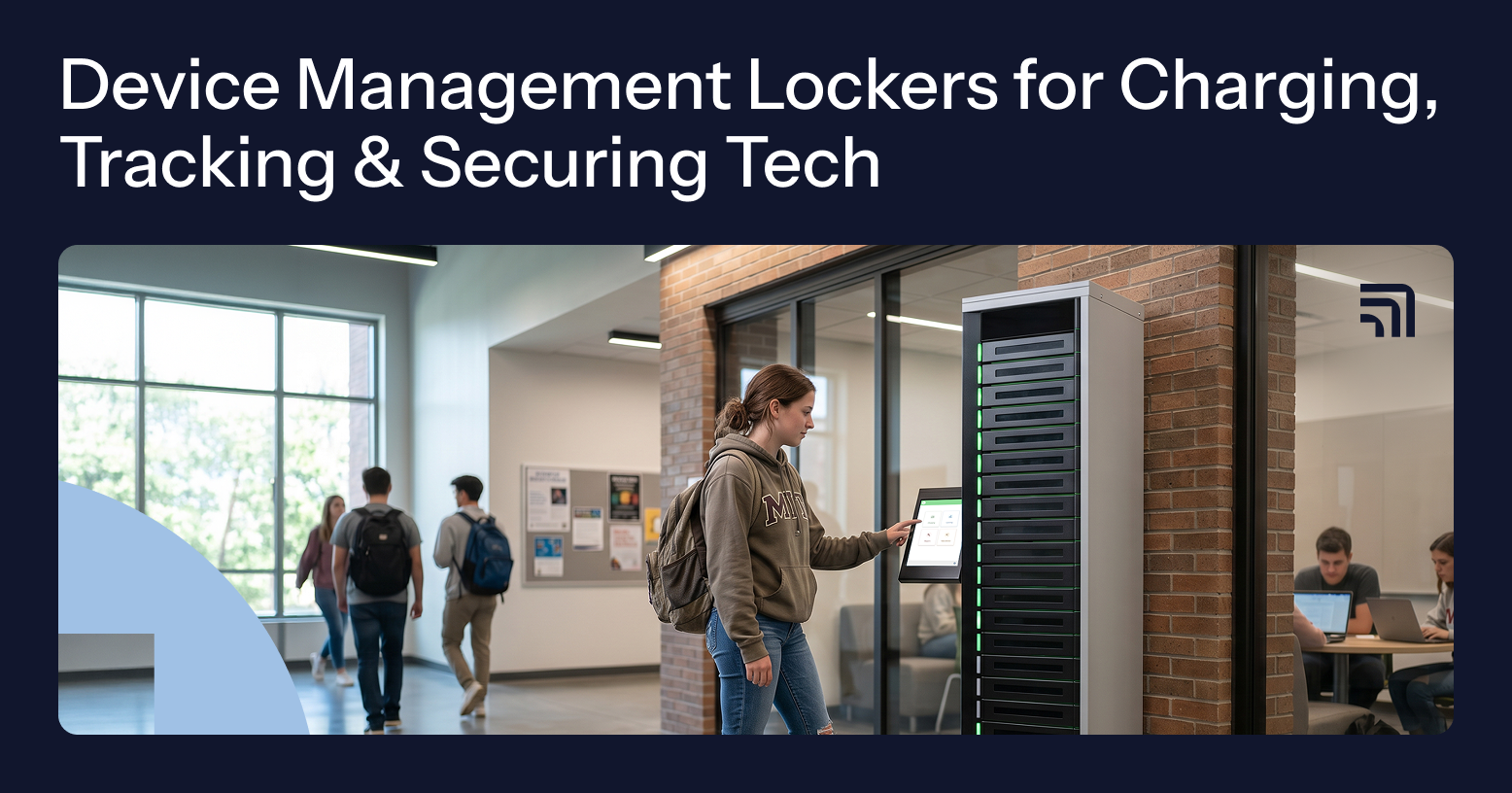
A device management locker is a secure, smart system built to store, charge, track, and control access to mobile devices. Unlike traditional charging carts, which focus only on power and storage, lockers add automation, user authentication, and precise usage tracking.
As organizations expand their device programs, ForwardPass smart lockers help manage access to shared laptops, tablets, handheld scanners, and smartphones. They support five device management workflows — Deployments, Charging, Loaners, Repairs, and Replacements — helping IT teams coordinate device handoffs, track activity, and reduce manual tasks across schools, workplaces, and other environments.
This guide explains how device management lockers work, how they compare with traditional charging carts, and which features matter when evaluating a solution. It also covers industry-specific use cases, potential ROI, and key considerations for choosing the right system.
Key takeaways
- Device management lockers provide controlled access, automated handoffs, and digital activity records that traditional charging carts typically lack.
- Configurable workflows for loans, repairs, deployments, replacements, and charging reduce the need for manual device transactions.
- Smart lockers address different operational challenges, from reducing classroom interruptions in schools to minimizing shift-change delays in manufacturing.
- Time savings depend on the operating environment. For example, Kingsway Christian College reported a 75% reduction in device loan management time after introducing ForwardPass smart lockers.
- Charging carts suit basic storage and charging needs, while secure device lockers offer greater value when frequent device handoffs and accountability are priorities.
The problem with traditional charging carts
Charging carts brought structure to disorganized spaces once filled with tangled cords and scattered adapters. For many schools and workplaces, they remain essential charging and secure storage solutions that provide convenience and protection for valuable equipment.
However, as device fleets expand and day-to-day workflows become more demanding, traditional charging carts begin to reveal their limitations in environments that require automation, accountability, and remote management:
- Manual check-ins and check-outs complicate tracking device loans, returns, and condition.
- Limited access controls increase the risk of unauthorized device access.
- Lack of built-in monitoring obscures device usage and availability.
- Adding more carts increases device capacity but also requires proportionally more effort to track devices, manage access, and coordinate handoffs.
Charging carts will continue to play a vital role in many deployments. Yet organizations seeking greater control, automation, and real-time visibility increasingly turn to device lockers to close the operational gaps that traditional carts were never meant to address.
Charging cart alternatives: Device management lockers
Device management lockers are smart locker systems designed to manage physical device access, storage, charging, and handoffs. Unlike traditional charging carts, they can support self-serve device distribution and returns, with digital records that help IT teams track who accessed or collected equipment and when.
Beyond charging and storage, smart lockers provide capabilities that support day-to-day device operations:
- Controlled access: Users authenticate through supported methods before accessing assigned locker bays, reducing reliance on physical keys.
- Automated workflows: Self-serve processes support device loans, repairs, deployments, and replacements, reducing manual handoffs.
- Remote administration: A cloud-based portal lets IT staff review locker activity and manage supported operations without visiting the locker.
- Activity records and reporting: Workflow dashboards provide access to relevant device handoff histories, user activity, and operational status.
- System integrations: Depending on the configuration, integrations can connect locker workflows with existing identity, IT service management, or asset management systems.
- Multi-site management: Administrators can oversee locker activity across units and locations through a centralized portal.
Charging carts vs. device management lockers
| Capability | Charging cart | Device management locker |
|---|---|---|
| Charging and secure storage | Shared, lockable storage with charging options | Individual lockable bays with charging options |
| User authentication | Typically key-based | Single sign-on (SSO) / RFID / PIN / QR code / barcode / username / password |
| Check-out and check-in records | Manual tracking | Automated workflow records |
| Remote visibility | None | Monitoring via a cloud dashboard |
| Automated workflows | None | Self-serve workflows (loans, repairs, deployments) |
| Audit trail | None | Automated audit trails |
| Scaling device capacity | More carts require more tracking effort | More units without proportional tracking effort |
*Capabilities vary by product and configuration.
How device management lockers work
Device management lockers work by authenticating users, providing access to designated storage bays, and recording device handoffs through configured workflows. This allows users to collect or return equipment without requiring IT staff to handle every transaction.
Here’s how a smart locker works:
- Authenticates and requests access. Users approach the locker kiosk, select the appropriate workflow, and authenticate using a supported method. Depending on the configuration, the system checks their authorization before granting access to a designated bay.
- Collects or returns a device. The automated device locker opens the appropriate bay based on the selected workflow. For example, users can borrow a temporary laptop, return a loaner, or drop off a damaged device for repair. Each process follows its own rules for device identification, assignment, and return.
- Records activity and charges devices. The system logs relevant transactions, including user information, device IDs, and timestamps where applicable. Devices can recharge in compatible locker bays when properly connected, allowing self-serve device charging without IT assistance.
Through the cloud-based management portal, IT administrators can review loan histories, charging sessions, and repair activity, helping them identify overdue devices and coordinate follow-up tasks.
Key features of ForwardPass device management lockers
The ForwardPass smart locker solution combines individual device storage bays, charging hardware, and cloud-based software to support self-serve device handoffs. Its features help IT teams configure access, manage device workflows, and track relevant activity without manually handling every request.
Key features include:
- ForwardPass Kiosk: A touchscreen interface guides authorized users through device collection, returns, repair drop-offs, and charging, depending on the configured workflow.
- ForwardPass Portal: A cloud portal lets administrators configure workflows, manage locker access, and review device handoff records, charging sessions, and other workflow activity.
- Configurable workflows: Five workflows — Loaners, Repairs, Deployments, Replacements, and Charging — support different device operations, with configurable rules, permissions, and notifications.
- Hardware options: ForwardPass smart lockers are available in 5-, 8-, 15-, and 23-bay models to accommodate different device storage needs.
- Integrated charging: Each bay supports 36W USB-C Power Delivery. The 5- and 15-bay models also include an AC power outlet per bay, while the 8- and 23-bay models feature prewired USB-C charging cables.
- Authentication options: Depending on the configuration, access methods include SSO, username/password, barcode, QR code, RFID, and PIN.
- Integrations: ForwardPass supports API-based integrations and webhooks that connect smart locker workflows with existing organizational systems.
- Customer support: Subscription services include onboarding, cloud administration training, firmware updates, knowledge base access, and ongoing support.
Read more: Learn how to choose a smart locker by evaluating the key features and requirements for your organization.
Who benefits from device management lockers?
Device management lockers benefit organizations where shared-device availability affects daily operations. The outcomes vary by environment, from preserving instructional time in schools to reducing shift-change delays and improving equipment accountability in public agencies.
Eliminating chaos in the classroom
Device management lockers help schools minimize classroom interruptions caused by forgotten, damaged, or uncharged devices. Students can obtain the equipment they need without losing additional instructional time waiting for assistance.
According to a November 2022 LocknCharge survey of 171 U.S. teachers, 57% reported helping students replace devices at least once per week. These requests can interrupt lessons and divert teachers or IT staff from their primary responsibilities.
Smart lockers for schools help students return to learning sooner and reduce disruptions throughout the school day. For school IT teams, fewer routine handoff requests also mean more time to address technical problems that require their direct attention.
Managing devices in hybrid workplaces
Smart charging lockers help hybrid organizations reduce equipment-related delays when employees work across different locations and schedules. Staff can retrieve assigned laptops or replacements without coordinating every exchange around the IT support desk.
According to Ivanti's 2024 Everywhere Work Report, 56% of surveyed IT workers reported increased help desk ticket volumes, with 78% attributing the rise to flexible or remote working. These findings reflect broader support pressures that can complicate equipment coordination.
For hybrid employers, more predictable device distribution can reduce delays during onboarding, equipment upgrades, and replacement requests. Employees face fewer scheduling obstacles, while IT teams spend less time arranging routine exchanges and more time resolving technical issues.
Equipping manufacturing and warehouse teams
Handheld device management lockers help manufacturing and warehouse teams reduce equipment distribution delays at shift start/shift change. When shared handheld scanners, tablets, or smartphones are available where workers begin their shifts, supervisors spend less time coordinating device allocation.
According to Zebra Technologies' 2025 Warehousing Vision Study, 74% of surveyed warehouse associates expressed concern about spending too much time on tasks that could be automated.
Smart lockers for manufacturing and warehouse teams can help workers start their assigned tasks with fewer delays. Consistent return practices also make it easier to prepare shared devices for subsequent shifts, reducing avoidable interruptions caused by misplaced or unavailable equipment.
Simplifying access in healthcare settings
Medical device lockers help healthcare facilities reduce the time clinical staff spend locating shared tablets and barcode scanners. More predictable equipment availability allows staff to focus on their assigned responsibilities.
According to Zebra Technologies' 2024 Hospital Vision Study, 77% of surveyed hospital leaders agreed that clinical staff spend too much time searching for medical equipment and supplies. Another 76% identified a need for better systems to report missing or insufficient inventory.
For facilities with shared mobile-device fleets, smart device lockers can reduce uncertainty over where devices should be collected or returned. This supports more consistent equipment availability between shifts, although cleaning, maintenance, and clinical safety procedures remain separate responsibilities.
Securing mobile devices for public operations
Asset management lockers help government agencies establish clearer accountability for shared laptops and tablets. Consistent custody records make it easier to investigate missing equipment, resolve assignment discrepancies, and determine who last received an asset.
A 2025 audit by the Federal Reserve's Office of Inspector General examined the Consumer Financial Protection Bureau's IT asset management practices following a referral concerning 74 newly purchased laptops that initially could not be accounted for.
The audit identified continuing weaknesses in managing stored, unassigned equipment. For public agencies, a clearer chain of custody can support inventory reconciliation and reduce uncertainty when equipment changes hands.
The ROI of smart device management
A mobile device management locker system can deliver a return on investment by reducing routine IT labor, improving equipment accountability, and limiting device-related disruptions. Actual savings depend on device volume, handoff frequency, and the cost of existing manual processes.
Here are several ways device management lockers help control costs and improve efficiency in shared-device environments:
- Reduce device loss and downtime. Lockers establish a transparent audit trail of device custody, helping teams investigate missing equipment and follow up on overdue returns.
- Save IT time. At Kingsway Christian College, smart lockers reduced daily device lending time by 75%, demonstrating the potential labor savings from reducing manual handoffs.
- Maintain operational continuity. Automated locker workflows can reduce delays during shift changes or equipment failures, helping employees access the devices they need to continue working.
Download the Smart Locker Buying Guide
Compare key features, charging options, security controls, and integration requirements to find a smart locker solution that fits your devices, workflows, and budget.

Kingsway Christian College — 75% reduction in device loan time
Kingsway Christian College, a K–12 school in Western Australia serving more than 1,500 students and 280 staff, adopted ForwardPass Smart Lockers to streamline its daily laptop loan process for relief teachers.
With around 25 device loans each day, the previous manual system placed ongoing pressure on IT resources and disrupted higher-priority support work. Although the school already used ForwardPass charging carts for storage and charging, it introduced smart lockers to automate a repetitive workflow that required frequent IT involvement.
Key outcomes of this deployment:
- Relief staff can scan their SharePoint ID, open a bay, and collect a fully charged device without IT assistance.
- Integration with Microsoft Power Automate through webhooks removed manual data entry errors and created precise records of which user borrowed each device and when.
- Access logs linked to individual users increased accountability and simplified follow-ups on overdue or misplaced laptops.
- The school achieved an estimated 75% reduction in time spent on loan device management, reclaiming over an hour of IT capacity during peak usage periods.
Read more: Explore the Deployments workflow to learn how ForwardPass smart lockers support device distribution and employee onboarding.
Next steps: choosing device management lockers
Device management lockers are a better choice than charging carts when organizations need to manage frequent device handoffs, reduce manual IT work, and maintain accountability across users or locations. Charging carts remain a practical option when secure storage and charging are the primary requirements.
Before choosing the system, consider your device volume, daily handoff frequency, charging requirements, and existing IT processes. You can also compare smart locker systems to evaluate available solutions and identify the features that best fit your device management needs.
Ready to assess your requirements? Book a Discovery with ForwardPass to discuss your device fleet, operational challenges, and suitable locker configurations.
FAQ
How do device management lockers work?
Device management lockers authenticate users, grant access to designated storage bays, and record device handoffs through configured workflows. Users can collect, return, or exchange equipment without requiring IT staff to handle every transaction, while compatible devices can charge inside the locker.
What devices can a device management locker hold?
A device management locker can store mobile devices, including but not limited to laptops, tablets, Chromebooks, smartphones, and handheld scanners, depending on the bay dimensions and hardware configuration. Organizations should verify device size, charging compatibility, and power requirements before selecting a locker model.
How are device management lockers different from charging carts?
Device management lockers add digital access controls, automated device handoff records, and configurable workflows to secure storage and charging. Traditional charging carts primarily provide centralized storage and charging, making them suitable when automated distribution, accountability, and remote administration are not required.
Which industries use device management lockers?
Device management lockers are used in K–12 education, higher education, hybrid workplaces, manufacturing, warehouses, healthcare facilities, and public-sector organizations. They help these environments reduce device-related interruptions, coordinate shared equipment, and maintain accountability for frequently used mobile devices.
What can device management lockers integrate with?
Device management lockers can integrate with identity management, IT service management (ITSM), and asset management systems through supported APIs and integration methods. Available integrations depend on the locker platform, software configuration, and the organization's existing systems.
What should IT check before buying a device management locker?
IT teams should evaluate device dimensions, storage capacity, charging compatibility, authentication options, workflow requirements, and integration capabilities before purchasing a device management locker. They should also assess daily handoff volume, installation requirements, ongoing costs, and the level of vendor support available.