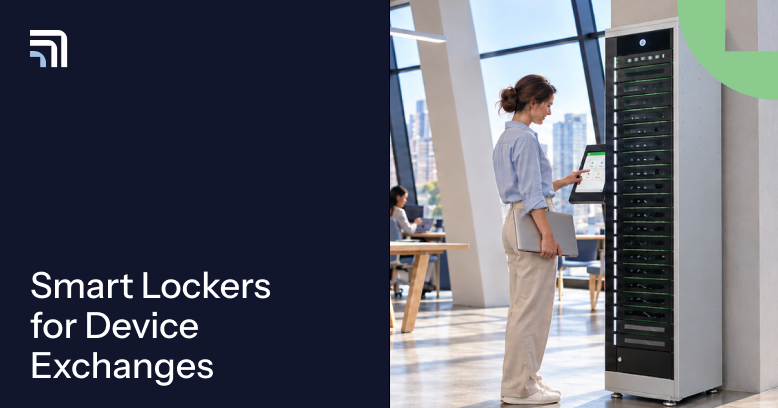
Smart lockers for device exchange tracking connect two physical handoffs: the device coming back and the device going out. They record who returned a device, who collected the next one, and when each step happened.
Say an employee's laptop fails at a regional office without onsite IT. A replacement is ready, but your team still needs answers: Has the broken laptop been returned? Did the employee collect the new one? Is there anything left to follow up?
With ForwardPass, users can complete returns and pickups themselves while IT keeps visibility without relying on emails or sign-out sheets.
Key takeaways
- An exchange has two sides: what was returned and what was issued.
- A useful record connects the person, device IDs, workflow, location, and time for both events.
- A locker access log is a starting point; the workflow and verification steps determine how confidently IT can account for the device.
- Good tracking makes outstanding returns and mismatched records easier to spot and resolve.
What is device exchange tracking?
Device exchange tracking is the process of connecting a returned IT device with the replacement or temporary device issued to a user. It creates a reviewable history rather than two separate tasks.
Consider a laptop replacement. Your service desk knows a replacement was approved, but not necessarily when the old laptop reached IT or the new one changed hands.
Those records create a clearer chain of custody: a history of who handled each device and when. This supports more accurate asset inventories, a priority in NIST's Cybersecurity Framework 2.0.
Exchange tracking vs. access logs and asset records
| Record | What it tells you | What may still be missing |
|---|---|---|
| Manual sign-out sheet | Someone reported a checkout or return | Reliable identity, timing, and follow-up status |
| Locker access log | Who accessed a bay and when | Which physical device was returned or collected |
| IT ticket or asset register | The request, assignment, or asset status | Whether the actual handoff took place |
| Device exchange history | Related return and issue events, with device details and status | Any physical verification required by your process |
Our smart locker audit trail guide explains individual records. Exchange tracking connects the whole swap.
How a tracked device exchange works, step by step
A tracked exchange follows the device from approval through return, pickup, and follow-up. Here's a typical laptop replacement; the sequence depends on your configuration.
- A user reports a problem. The help desk approves a replacement or temporary loan device.
- IT makes a working device available. A prepared laptop is assigned or stocked at a suitable locker location.
- The user authenticates. At the locker, the employee signs in using an approved method, such as organizational SSO or a QR code where supported.
- The old device is returned. The user follows the drop-off steps and places the failed laptop in the assigned bay. The workflow records the return event and available device details.
- The next device is collected. The employee accesses the bay containing the approved replacement or loan device, and the pickup is recorded.
- IT closes the loop. The team reviews anything still outstanding, checks the physical item where necessary, and reconciles the ticket or asset record.
A successful pickup and a broken device still awaiting collection are different states. IT should see both.
Illustrative exchange timeline — example data, not an exported ForwardPass screen
| Time | Recorded event | What IT can do next |
|---|---|---|
| 09:02 | Replacement approved for user E-201; failed device A-351 | Reserve a working device |
| 09:06 | A-351 drop-off recorded at North office, bay 03 | Check item during collection |
| 09:08 | Replacement B-572 collected by E-201 from bay 11 | Confirm pickup is complete |
| 09:20 | Technician verifies returned item and reconciles the case | Update ticket and asset status |
A permanent replacement isn't the same as a temporary loan
With a permanent replacement, the failed device is handed back and a different device takes its place. ForwardPass Replacements supports this linked return-and-issue workflow.
During a repair, a user may collect a loan device, adding another return and due date to track. ForwardPass's Repairs workflow can work alongside device loaning so IT can follow each handoff without managing every exchange at the service desk.
What should an exchange tracking record show?
An exchange record should make it easy to answer three questions: who was involved, which devices moved, and what happens next? Look for these fields:
| Record detail | Why it matters |
|---|---|
| User and authentication | Connects the activity to an authorized person |
| Returned and issued device IDs | Distinguishes the two assets involved |
| Event type, date, and time | Shows the order of pickup, drop-off, and follow-up |
| Site, locker group, and bay | Tells IT where the handoff occurred |
| Workflow and current status | Separates collected, overdue, and pending actions |
| Ticket or exchange reference, where configured | Helps reconcile the physical record with other IT systems |
Device IDs may be entered, scanned, or verified by a technician. A bay opening alone doesn't establish that the expected device was inside. Decide what level of confirmation your organization needs before considering a return complete.
NIST SP 800-53 Rev. 5 provides a useful reference for audit records and accountability; a locker alone does not establish compliance.
When a device exchange doesn't go to plan
Most exchange problems are not dramatic failures. They're small gaps between what the system recorded and what IT still needs to confirm. Three are worth planning for.
The employee collects a replacement but hasn't returned the original
The person is back to work, which is good. But the failed laptop may still be at their desk or in transit. Keep the return open and assign an owner until the old device arrives. For temporary loans, check due dates and overdue status rather than assuming the loan has ended.
The wrong device ends up in the bay
If someone deposits the wrong laptop, preserve the event, check the asset ID, and correct the ticket or asset record. Clear shared-device access and return policies make those checks easier to apply consistently.
A handoff is interrupted or an administrator steps in
A stuck door or cancelled pickup can leave a transaction unfinished. Record who intervened and what remains outstanding. Don't clear the exception simply because someone opened the bay again.
The rule: review the event, verify the device, and record the next action.
How exchange tracking fits with your other IT systems
Smart lockers handle the physical handoff; existing IT systems still have important jobs to do. Keep their responsibilities clear.
- Locker workflow: Controls authorized pickup and return and records the supported physical events.
- IT service management (ITSM): Manages requests, approvals, repair work, and ticket resolution.
- IT asset management (ITAM): Maintains the longer-term device inventory, ownership, and assignment records.
- Mobile device management (MDM): Manages device policies and endpoint state, not proof of physical return.
This division of work aligns with CISA's Cross-Sector Cybersecurity Performance Goals, which emphasize knowing what assets an organization has. That inventory should reflect actual returns and pickups.
Where supported, ForwardPass events can be shared through configured webhook connections so an external workflow can create or update the appropriate IT record. A repair drop-off could supply device and event details to a ticket. The receiving system needs its own mapping and automation; this isn't universal native two-way synchronization.
Test missing ticket numbers, duplicate events, and connection failures before relying on the combined record.
How to evaluate smart lockers for device exchange tracking
Don't stop your product demo when a bay opens. Test whether IT can follow the entire exchange, including an exception. Ask these eight questions:
- Can users authenticate with a method that fits our identity policies?
- How are returned and issued device IDs captured and checked?
- Can IT see the return and pickup as related events, not two unrelated logs?
- What does the Portal show when a device is overdue or awaiting technician collection?
- How does the system handle wrong-item returns and interrupted exchanges?
- Can administrators review relevant handoffs across multiple sites?
- Can we search, export, and retain the records we need?
- Which events can be shared with our ticketing or asset systems, and what configuration is required?
Pilot a normal swap, a missing return, and an incorrect drop-off. For procurement, request the applicable SOC 2 Type II report and confirm its scope. If you're comparing platforms more broadly, the Smart Locker Buying Guide includes additional procurement questions.

How ForwardPass helps IT keep exchanges moving
ForwardPass brings device returns, replacements, and temporary loans into structured self-service workflows. People collect or return devices without waiting for the service desk. IT reviews supported activity and status details in the Portal.
For example, Replacements records both sides of a permanent swap; Repairs tracks broken-device drop-offs and later pickup; and device loaning helps IT keep tabs on who still has a temporary device. Learn more about ForwardPass smart lockers for IT devices.
The value of repeatable handoffs also shows up in a different use case: ThermTech, a 24/7 manufacturer, uses 11 ForwardPass lockers across six buildings to manage 132 work phones. Employees collect phones for shifts and return them afterward, with less day-to-day oversight from IT. As a ThermTech representative put it, “the IT team doesn’t have to constantly monitor devices.” The ThermTech customer story concerns shift-based checkouts, not laptop replacements. Its lesson: make handoffs routine and accountable.
FAQs
What is the difference between device exchange tracking and asset tracking?
Asset tracking tells you what an organization owns or has assigned; exchange tracking tells you what happened when devices changed hands. An asset register can show that laptop B replaced laptop A, while the exchange record shows when A was returned and B was collected. Both matter when reconciling a ticket.
Keep ownership and lifecycle data in ITAM; use locker events to document the handoff.
Can a smart locker show who returned a broken laptop and who collected its replacement?
Yes, when its workflow records authenticated returns and pickups together with the relevant device IDs. ForwardPass Replacements is designed to connect the returned device, the issued device, and the user completing the swap.
Confirm which fields your configuration captures and add a scan or technician check when physical verification is required.
Does opening a locker bay prove that a specific device was returned?
No. Opening a bay confirms access; it does not, by itself, identify the physical device placed inside. A workflow may associate a device ID with the return, but the strength of that evidence depends on how the ID was captured and checked.
For higher-accountability workflows, ask how staff investigate when the returned item doesn't match its recorded device ID.
Can smart locker events connect to ServiceNow or other ITSM tools?
Yes, when a supported event is routed through a configured webhook or API-based process into the receiving system. You can map details such as a user, device ID, workflow, and event time to the right ticket or asset record.
Test the field mapping, supported events, and failed updates in your own IT environment; don't assume native integration.
What happens if the original device is never returned?
The exchange should remain an open follow-up until the missing return is reconciled under your policy. IT can review the last recorded event, contact the user, and check any reported drop-off location. A working replacement doesn't mean the old device is accounted for.
For temporary loans, track overdue status. For permanent swaps, decide whether an old-device return is required before issuing the new one.
A better handoff ends with a clear record
Good device exchange tracking should answer three questions without chasing people: What came back? What went out? What's still outstanding?
ForwardPass helps make those handoffs easier for users and more visible to IT. Book a Discovery to explore a replacement or repair workflow built around your devices and policies.